
GA4 for Performance Teams: Models, Metrics, and Strategies
A detailed GA4 guide for performance marketing: events, attribution, postbacks, tracker integration, and push, pop, and redirect traffic analysis.
12 Feb 2026
Google Analytics 4 in Performance Marketing
GA4 is built on an event-based model: every user interaction — page view, click, form submission, or purchase — is recorded as a separate event.
Unlike Universal Analytics, which relied on session-based metrics, GA4 connects user touchpoints into a single journey. For cross-device tracking (when a user starts on mobile and converts on desktop), you need to configure User-ID or enable Google Signals. Without this, GA4 only links events within the same device or browser.
Traffic data from Kadam is sent to GA4 via UTM parameters in the destination URL. Kadam supports macro substitution (for example, ?utm_source=kadam&utm_campaign={campaign_id}&clickid={click_id}).
Conversions are sent to GA4 from the advertiser’s tracker (Voluum, Keitaro, RedTrack, etc.) via Measurement Protocol after receiving a postback from Kadam. Kadam itself does not send events to GA4.
Key GA4 Metrics for Performance
Key metrics include:
- number of events and conversions
- engagement: scroll depth, time on page, clicks
- Session conversion rate and User conversion rate
- predictive metrics based on machine learning
Performance CR (conversions / clicks) is calculated on the Kadam and tracker side.
GA4 does not provide this metric directly. Instead, it offers:
- Session conversion rate (sessions with conversion / total sessions)
- User conversion rate (users with conversion / total users)
To approximate performance CR in GA4, you need to configure custom events and calculate it via Explorations.
Important: even then, the GA4 metric will always be lower than the tracker’s CR, because GA4 only sees users who reached the landing page and were not blocked. Comparing Conversions / Clicks (Kadam) with Session conversion rate (GA4) directly is incorrect — these are fundamentally different metrics.
Attribution in GA4
By default, GA4 uses a Data-driven attribution model: conversions are distributed across touchpoints based on their probabilistic contribution.
Available alternatives:
- Last click (paid and organic)
- Google paid channels last click
- First click (paid and organic)
Linear, Position-based, and Time decay models were removed from GA4 in October 2023 and are no longer available.
For performance traffic, it’s important to understand limitations:
GA4 does not work with postback logic and does not perform lead deduplication in the way affiliate trackers do.
GA4 does have technical deduplication via event_id when using Measurement Protocol, but this only prevents duplicate event submissions — it does not match conversions to clicks.
Therefore:
- the tracker is the source of truth for conversions and billing
- GA4 is used for behavioral analysis
GA4 + Postback + Tracker Setup
A typical flow for push and pop traffic:
- A user clicks a push/pop ad — Kadam records the click and assigns a unique click_id.
- Kadam redirects to the tracker URL (Voluum, Keitaro, RedTrack), including UTM parameters and click_id.
- The tracker logs the click and redirects the user to the offer.
- The user completes a conversion — the affiliate network or CRM sends a postback to the tracker.
- The tracker matches the conversion using click_id:
- sends a postback back to Kadam
- sends an event to GA4 via Measurement Protocol
Important: Kadam is a traffic source, not a data relay.
The tracker receives the click because its URL is set as the campaign destination.
Without click_id, matching conversions to clicks is impossible — it is a required parameter.
Traffic Sources and Analytics in GA4
GA4 does not automatically categorize push and pop traffic. Without proper tagging, they fall into Direct or Referral.
Even with UTM tagging, GA4 typically assigns push/pop traffic to the “Other” channel (or sometimes “Display”).
To separate it into a dedicated channel, create a Custom Channel Group:
Admin → Data Display → Channel groups.
To avoid data loss:
- use UTM parameters
- minimize redirects
- ensure parameters are preserved
Each redirect increases the risk of losing UTM parameters and click_id.
Cost and impression data can also be uploaded to GA4 via Data Import (Admin → Data Import → Cost data), allowing you to calculate ROI directly in GA4.
Kadam Macros in UTM Tagging
Kadam allows you to use macros in destination URLs. These macros are automatically replaced with real values at the moment of the click.
This enables you to pass traffic parameters to both the tracker and GA4 without manually tagging each campaign.
Required for Matching (Tracker + GA4)
- {click_id} — unique click identifier (required for postback)
- {campaign_id} — campaign ID
- {ad_id} — creative ID
Traffic Parameters (for Attribution and Segmentation)
- {country_code} — country ISO code (US, BR, etc.)
- {city} — city
- {subdivision} — region/state
- {platform} — OS (Windows, Android, iOS)
- {platform_version} — OS version
- {browser} — browser
- {device} — device type (DESKTOP / MOBILE / TABLET)
- {isp} — internet provider
- {language} — browser language
Placement Parameters (for Optimization)
- {site_id} — publisher ID
- {block_id} — ad placement ID
- {page_cat_id} — page category ID (Adult, News, etc.)
- {page_url} — placement URL
- {site} — referrer
- {sub_age} — push subscription age
- {area} — local area (if available)
Financial and Technical Parameters
- {cpc} — actual click cost
- {price_model} — pricing model (CPC / CPM / CPA Target)
- {gaid} — Google Advertising ID (Android)
- {idfa} — Identifier for Advertisers (iOS)
Example URL with UTM and Tracking Parameters
Important
- click_id is the key parameter linking Kadam, the tracker, and GA4
- losing click_id or UTM parameters breaks attribution
- the more parameters you pass, the deeper your analytics
Campaign Optimization Using GA4 Data
GA4 does not run A/B tests — Google Optimize was discontinued on September 30, 2023.
Alternatives:
- VWO
- AB Tasty
- Optimizely
- GA4 + Google Ads Experiments
With Kadam:
- traffic distribution is handled on the network side
- GA4 tracks user behavior
- optimization focuses on combinations with the best CR and ROI
Data Quality and Discrepancies
To ensure data quality:
- audit UTM tagging
- validate click_id tracking
- compare GA4 and tracker data
- account for blockers
Why Data Differs
Main reasons:
- different attribution models
- different user identification methods
- blockers (JS, cookies)
- data loss during redirects
- different tracking points
Acceptable Discrepancies
- display traffic: 10–20% — normal
- push/pop traffic: 30–50% — typical
Investigate when:
- discrepancy >50%
- or a sudden change occurs
FAQ
How does GA4 attribution differ from a tracker?
GA4 distributes conversion value across touchpoints (data-driven).
Trackers typically use last-click attribution.
Use:
- tracker — for conversions and billing
- GA4 — for behavioral insights
Why connect GA4 with postbacks?
Without postbacks, GA4 misses conversions that happen outside the browser.
This leads to incomplete performance data.
Why do GA4 and Kadam data differ?
Due to:
- attribution differences
- user identification
- delays
- blockers
This is normal within acceptable ranges.





Read Also
More Precise Adult Targeting: 40+ Subcategories in Kadam
DarkSword Reached Ad Traffic: Why a Normal Landing Page Can Hide an iOS Attack
Direct Advertiser vs Ad Network Which Model Is Better

Managing CPC Campaigns with Auto Rules

VAST Creatives Are Now Available in Kadam Video Campaigns
What Is Retargeting Advertising and How Does It Work

New Ways to Add HTML Creatives
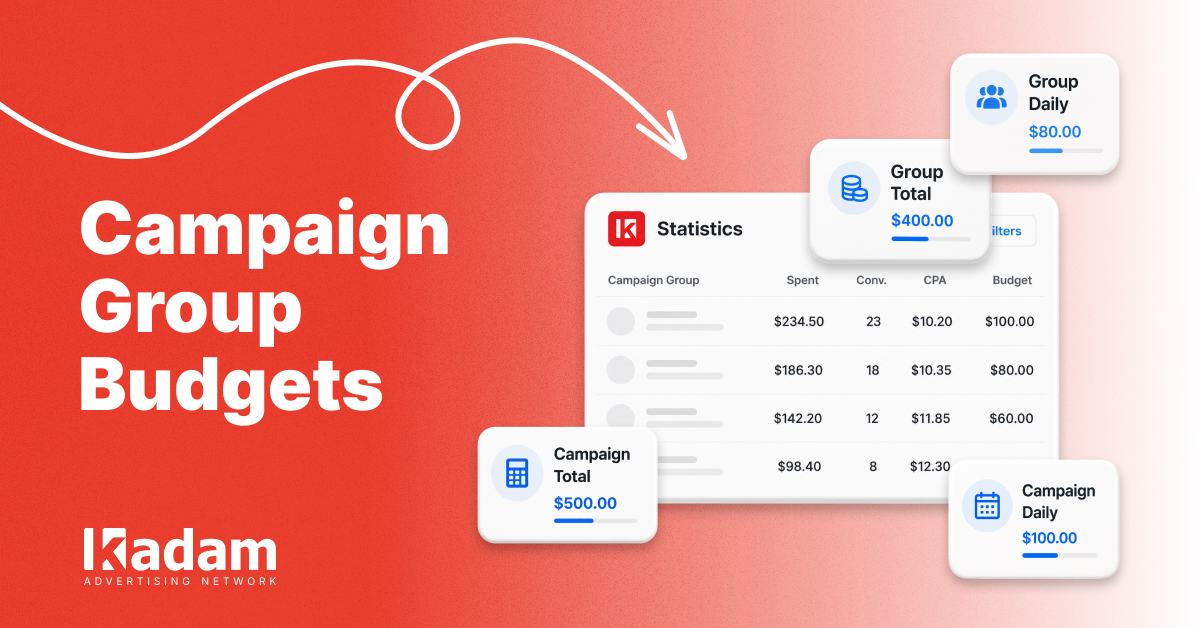
Campaign Group Budgets: Limits at a Glance

Retargeting Ads Explained: When and How to Bring Lost Customers Back